A canvas without edges.
Arrange the work spatially, with navigation that keeps the board manageable.
- Pan, zoom and minimap
- Frames and sticky notes
- Shapes, tables and freehand
Collaborative infinite canvas
Flocci Infinity
A Miro, FigJam and Mural alternative for spatial thinking: live multiplayer, self-routing diagrams, keyboard-built mind maps and a board that can become the presentation. Stop rebuilding the same idea in another format.
infinity.flocci.in
Start from a blank board or a workshop template.
Cluster notes, build branches and connect shapes while the room contributes.
Present the working board or export a PNG for the follow-through.
Explore the tools, records and controls that make the workflow possible.
Arrange the work spatially, with navigation that keeps the board manageable.
Move the shape without redrawing the relationship.
Build a real branching structure without placing every box.
Use the board as the workshop, not a screenshot after it.
Generate a starting set of editable ideas.
Carry the composition into the review.
Public product preview. Open the product to explore its current experience.
Open Infinity (opens in a new tab)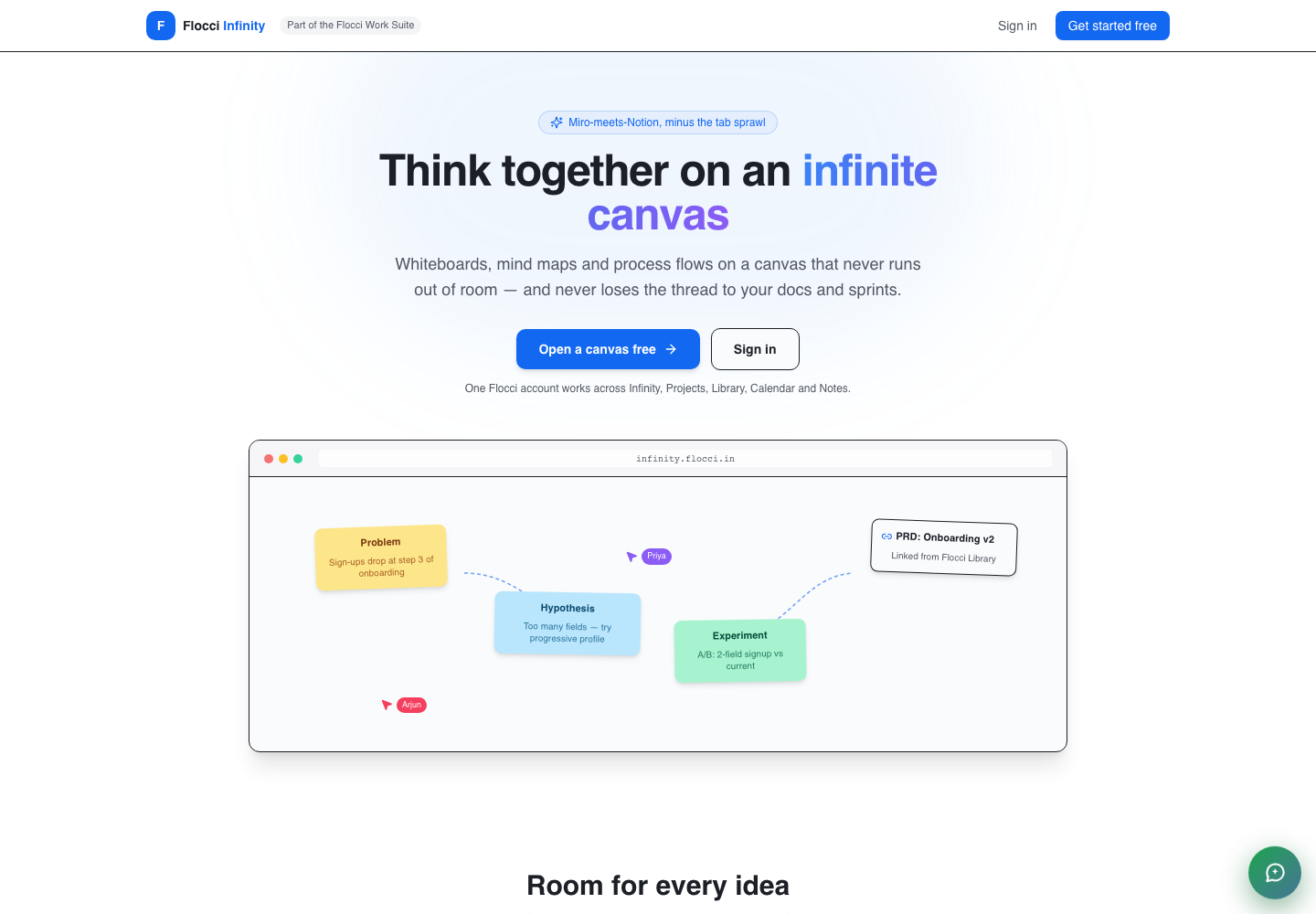
Run a retrospective with live notes and framed discussion.
Map a system with connectors that follow moving shapes.
Build a mind map together and present the decision in the same board.
One Flocci identity and organisation support the canvas. Live webpage panels can bring relevant pages into view; Graph activity signals do not carry the content of your board.
Boards, drawing, collaboration, presenting and PNG export are unmetered core activities. AI draft generation uses published credits; organisation access follows the seat model.
Flocci Infinity is a multiplayer infinite canvas for workshops, system maps and visual thinking. It combines self-routing connectors, keyboard-built mind maps, live webpage panels, templates and AI draft previews. Present the same working board and export it as PNG.
Boards, drawing, collaboration, presenting and PNG export are unmetered core activities. AI draft generation uses published credits; organisation access follows the seat model.
Infinity exports a PNG of the board. Present mode works from the canvas itself; PDF and SVG export are not promised here.
No. You see draft stickies first and choose whether to add them to the board.
One Flocci identity and organisation support the canvas. Live webpage panels can bring relevant pages into view; Graph activity signals do not carry the content of your board.
FLOCCI ENGINEERING · STORIES
Explore the architecture and product decisions behind this part of Flocci.
Put the whole room’s thinking on one canvas.